Your leads
Every message from your forms, calculators, popups, timelines, before & after sliders and accessibility panel in one place.
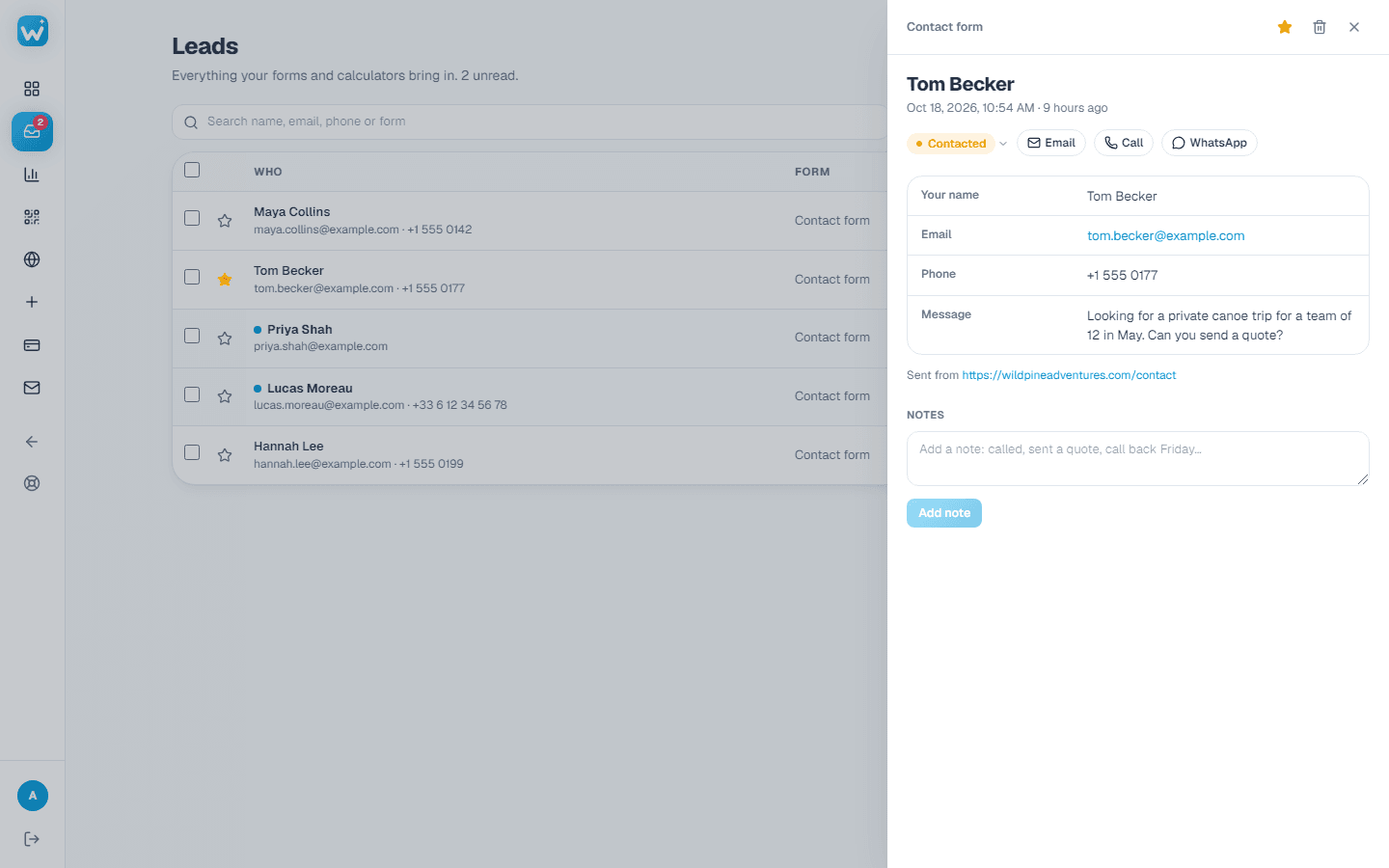
- 1Open Leads in the menu. Newest first; unread ones are bold.
- 2Click a lead to see every answer, the page it came from, and a calculator's results.
- 3Messages also come from popups, from timeline story forms, from the button under a before & after slider (with the pair the visitor looked at), and from visitors who press Report a problem in your accessibility panel. Those show From the accessibility panel, with what did not work and their email if they gave one.
- 4Give it a status (New, Contacted, Won or Lost, or your own), a star or a note, so your team knows where it stands.
- 5Search by name, email, phone or widget. Filter by widget, status, website or date (Today, Last 7 days, Last 30 days or your own dates), on every plan. Filters work together with Unread, Starred and Trash.
- 6With All widgets picked, a status such as New shows the New leads of every widget. Pick one widget to manage its own statuses.
- 7Download the filtered list as a spreadsheet (paid plans): it holds exactly the leads you see.
Limits
- Free: 50 leads a month across all your widgets.
- Paid plans: no limit.
Related guides
Still need help?
Tell us what you're trying to do. A real person replies, usually within one working day.